

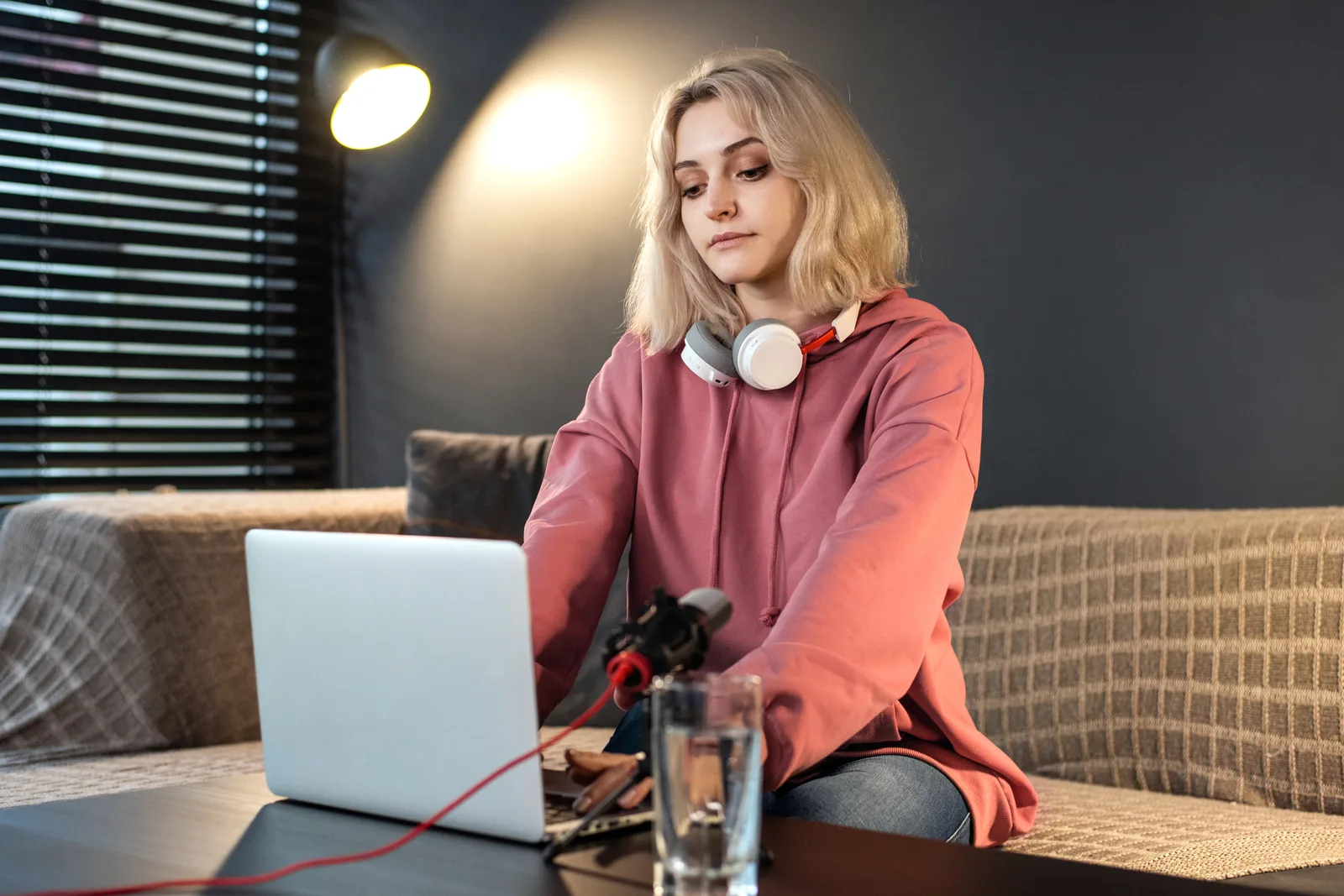
Virtual voice lessons work well for most singers when the setup is right. A live video lesson lets a teacher watch your breathing, posture and jaw up close, hear your rhythm and diction, and coach you in the room where you practice every day. Sound quality, a short delay and the camera angle need some care, and a few simple settings handle most of it.
This guide is for singers ages 10 and up, and for parents, who want an honest picture before they start. It covers what a virtual lesson does well, what research and experienced teachers say gets harder online, and exactly how to set up your audio, camera and space so the lesson works for you.
Key takeaways
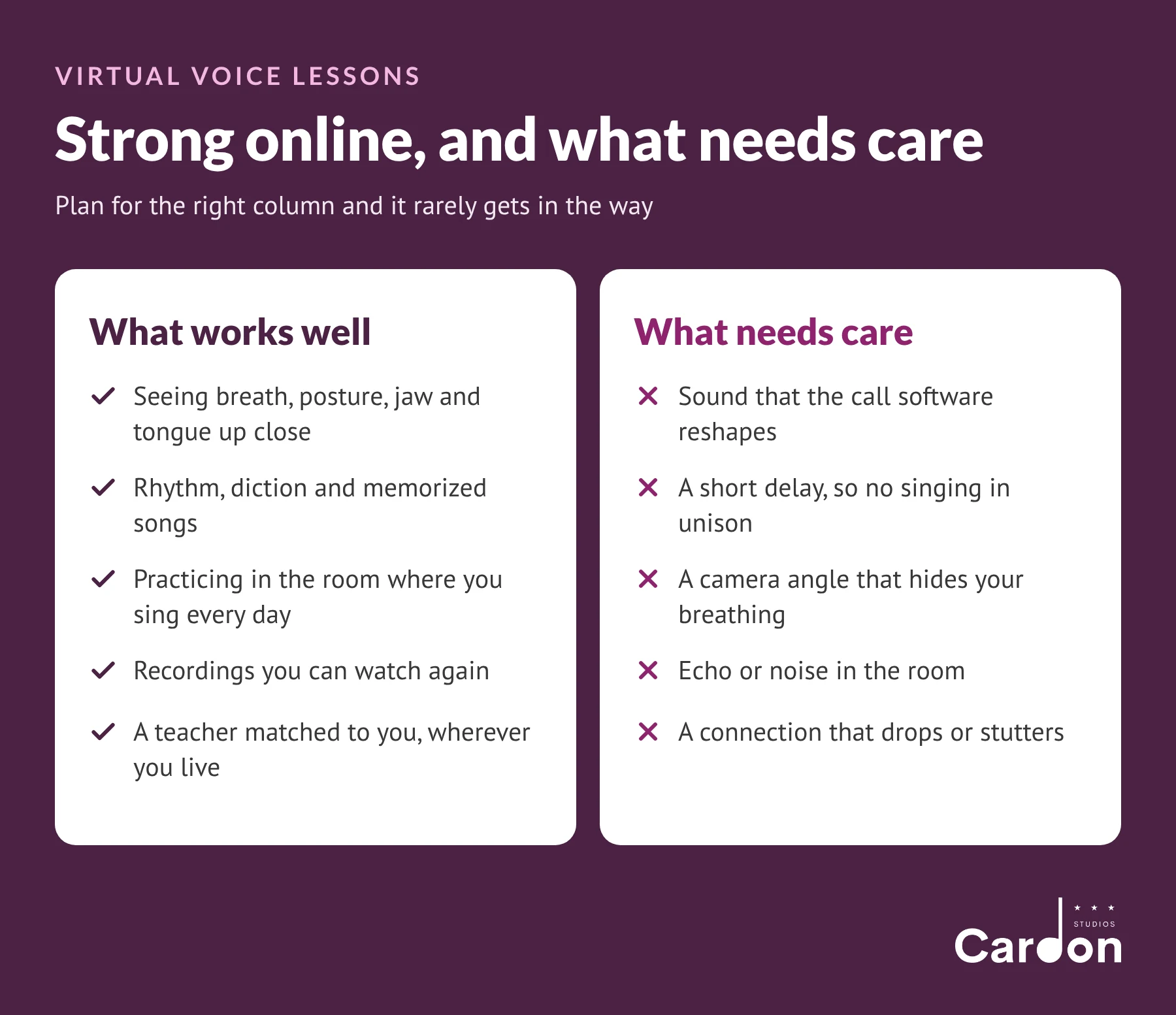
- Seeing you sing is a strength online: breath, posture, jaw and tongue are easy to watch on a well-placed camera.
- Call software can reshape a singing voice, so fine details of tone are the hardest thing to judge. Musician audio settings help.
- There’s always a small delay, so you and your teacher won’t sing in unison. Good teachers plan lessons around it.
- A quiet room, a camera at eye level and a steady connection matter more than expensive gear.
Do virtual voice lessons work? The short answer
Yes, for most singers and most goals. A virtual voice lesson is a live, private lesson over a video call, so you still get what makes lessons valuable: an expert listening to your voice, spotting habits you can’t hear yourself, and giving you exercises built for you. If you’re weighing whether lessons are worth it at all, our guide to what singing lessons give you covers that question.
What changes is the channel. Your voice travels through a microphone, the internet and your teacher’s speakers or headphones, and each step can alter it a little. Your teacher also sees you through a camera rather than across a room. Neither is a reason to avoid virtual lessons. Both are reasons to set up with care, which is what most of this guide is about.
Online teaching is also no longer an emergency fix. Since 2020, voice teachers have refined how they run lessons on video, and the sections below share what they found works and where they take extra care.
What virtual voice lessons do well
Some parts of singing are easier to coach online than people expect. These are the strengths to make the most of.
Your teacher can see you clearly
A camera at the right height gives your teacher a close, steady view of your face, neck, shoulders and ribs. That makes it easy to spot a jaw that tightens on high notes, shoulders that rise when you breathe, or a tongue that pulls back. Visual cues carry a lot of weight in online teaching. In a 2020 survey of 387 voice teachers in the Journal of Voice, teachers rated memorization, rhythm and diction as the qualities they could judge best online, and the authors pointed to the mix of sound and visual clues as the reason (Murdaugh, Hausknecht and Herbst, 2020).
You learn where you practice
In a virtual lesson, you sing in the same room where you practice all week. Your teacher hears your voice in that space and can help you solve the problems that actually come up there, such as singing quietly in an apartment or working around family noise. What you learn transfers straight into your daily routine.
Recordings you can watch again
Because the lesson happens on a computer, it’s easy to record. Watching a lesson back lets you catch the exact wording of a correction, see the exercise demonstrated again, and notice changes in your voice from week to week. A 2020 Journal of Singing column also described recording a student and pausing to give feedback as a useful tool online (Helding, 2020).
A teacher matched to you, wherever you live
Online, you aren’t limited to teachers within driving distance. You can work with someone who knows your style, whether that’s musical theater, pop, classical or jazz, and who suits your age and goals. No commute also makes it easier to keep a regular lesson time, which matters because steady practice and feedback drive progress.
What needs care in virtual voice lessons
Being honest about the limits is the best way to work around them. These are the areas where online lessons need more thought.
Sound can be reshaped
Video call apps are built for speech. By default they reduce background noise, even out volume and cancel echo, and those features can treat sustained singing as something to fix. The Journal of Voice survey cited an early test that found common platforms all altered the transmitted voice to a noticeable degree, and teachers rated dynamics, resonance and tone as the hardest qualities to judge online, because those depend on sound alone (Murdaugh and colleagues, 2020). The fix is to switch your app to its musician audio mode, covered below.
There’s always a short delay
Sound takes time to travel over the internet, and that delay, called latency, varies from moment to moment. It’s too short to bother a conversation but long enough to throw off two people singing together. The same paper notes that network delays became much more variable in 2020 and tended to run higher in the evening. This is why you and your teacher won’t sing or clap in unison, and why your accompaniment usually plays on your side of the call.
The camera only shows what it can see
A laptop on a low table shows your chin and ceiling. A phone held close shows your face but hides your breathing. Your teacher can only coach what the camera shows, so placement matters as much as picture quality.
Your room and connection
Poor internet bandwidth, weak sound fidelity and noisy homes were among the frustrations described in a 2020 Journal of Singing column on the first months of online teaching (Helding, 2020). Most of these problems have simple solutions, and none needs special equipment.
Audio setup: let your teacher hear your real voice
Good audio is the single biggest improvement you can make. Start with these steps, in this order.
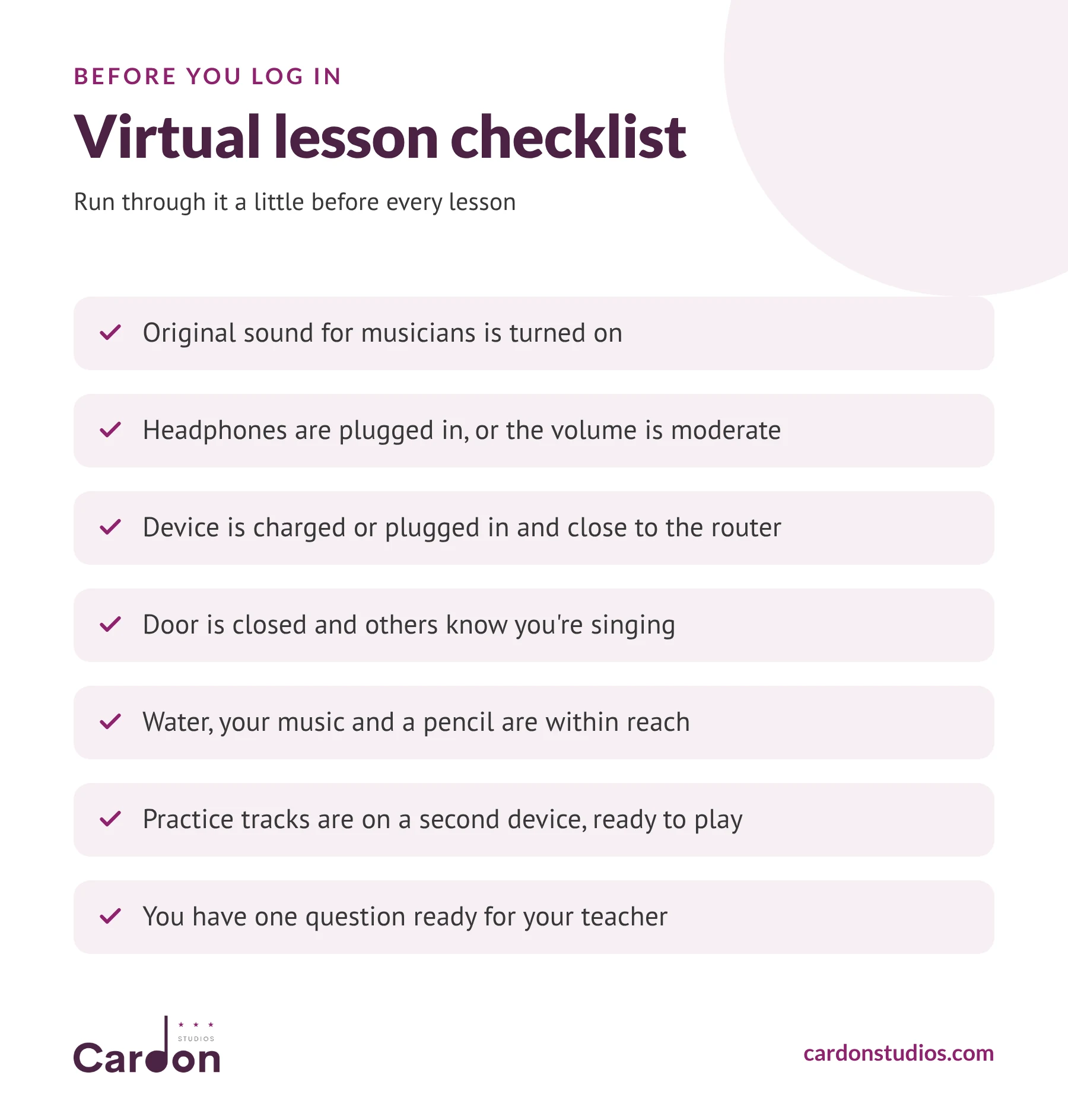
- Turn on musician audio. In Zoom, open Settings, choose Audio, and check “Original sound for musicians.” In a meeting, click the arrow beside the microphone icon and select it under Microphone modes. On a phone or tablet, turn on “Use Original Sound” in the meeting settings. This setting keeps your microphone’s sound without Zoom’s echo cancellation and audio enhancements (University of Michigan ITS).
- Use headphones, or keep the volume moderate. With echo cancellation off, your teacher’s voice can come out of your speakers and back into your microphone. Wired earbuds or headphones stop that loop. If you don’t wear them, keep the speaker volume low enough that your teacher doesn’t hear an echo.
- Turn off automatic volume. Uncheck “Automatically adjust microphone volume” in your audio settings so loud notes aren’t turned down.
- Find the right distance. Stand about an arm’s length from your device’s microphone, or slightly farther for loud singing, so your high, full notes don’t distort.
- Test before your first lesson. Record a short test call, sing your quietest and loudest phrases, and listen back.
A built-in laptop or phone microphone is fine to start. If you later want better sound, a simple USB microphone is an easy upgrade. Our full guide to Zoom audio settings for singing covers each setting and how to fix common problems.
Camera setup: let your teacher see you sing
Your teacher needs to see how you stand and breathe, not just your face. A few small changes make a big difference.
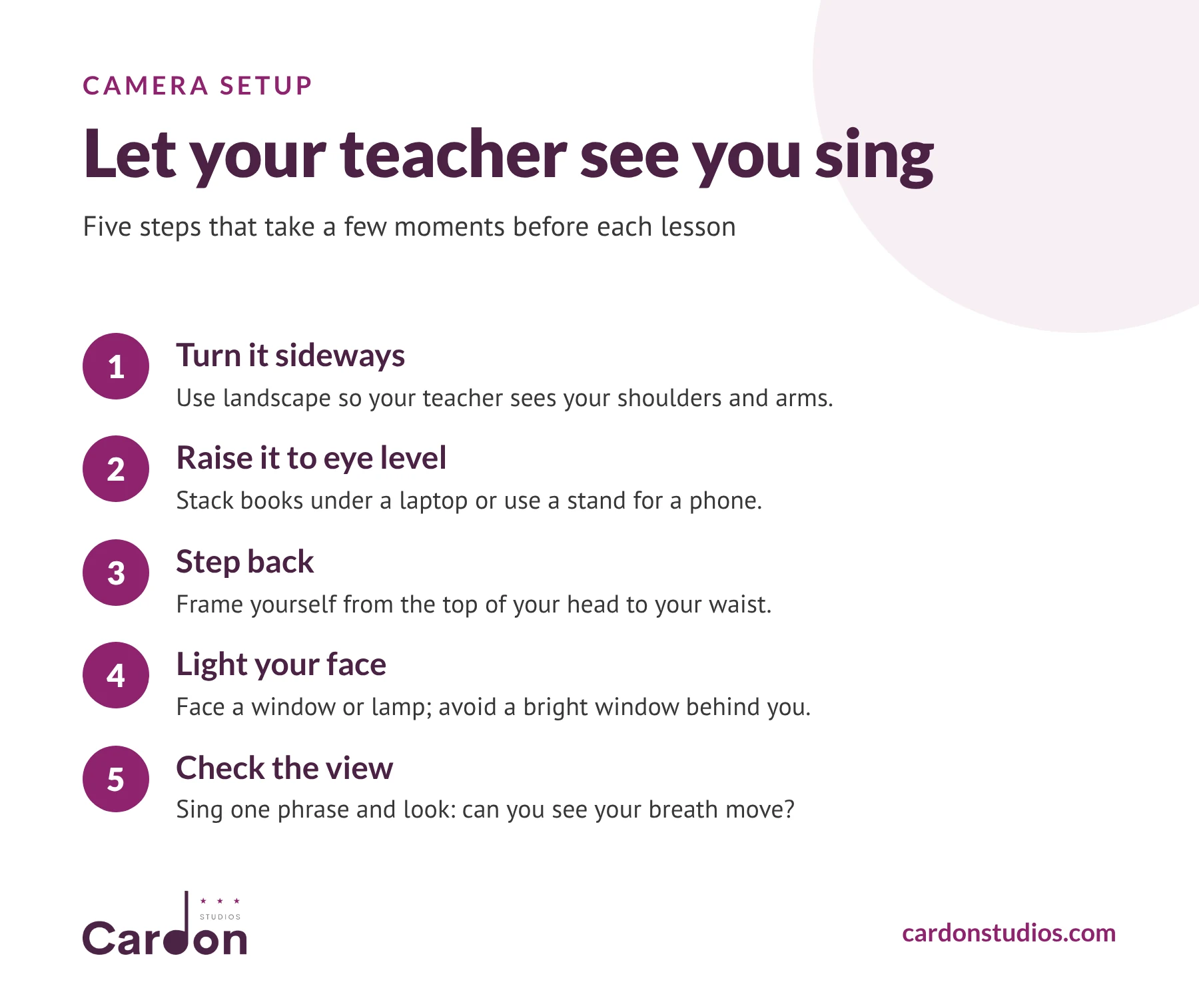
- Landscape, not portrait. Turn a phone or tablet sideways so the frame includes your shoulders and arms.
- Camera at eye level. Stack books under a laptop or use a stand. Looking down at a screen pulls your head forward and changes how you sing, as our guide to alignment for singers explains.
- Head to waist in the frame. Step back until your teacher can see your ribs and belly move as you breathe. Many singers stand for lessons, so set the camera for standing height.
- Light in front of you. Face a window or lamp. A bright window behind you turns you into a silhouette.
- A steady device. Prop it up rather than holding it, so your hands stay loose and the picture doesn’t shake.
Your space: a room that works for singing
You don’t need a studio. You need a room where you can sing freely for the length of your lesson without worrying who’s listening.
- Choose soft over hard. Rooms with carpet, curtains, a bed or a sofa have less echo than a bare kitchen or bathroom, so your teacher hears your voice instead of the room.
- Leave room to stand and move. Clear enough space to stand tall and take a full breath with your arms loose.
- Get close to the router. A steady connection matters more than raw speed. Sit near your Wi-Fi router, plug in with a cable if you can, and ask others at home to pause big downloads or streaming during your lesson.
- Close the door and give notice. Let family or roommates know when your lesson is, so no one walks in mid-phrase. If neighbors are a worry, our tips on singing in an apartment can help.
- Keep the basics within reach. Water, your sheet music or song notes, and a pencil.
How teachers adapt to the limits
Experienced online teachers have changed how they run lessons so the delay and audio limits rarely get in the way. Knowing these habits helps you follow along.
- Call and response instead of singing together. Your teacher demonstrates a pattern, then you sing it back alone, so the delay doesn’t matter.
- Accompaniment on your side. Practice tracks and backing tracks play on your device, or on a second device near you, so the music and your voice reach your teacher together.
- More use of the eyes. Because sound can be softened, teachers lean on what they see: breath, posture, mouth shape and tension. That’s one reason camera placement matters.
- Recording and playback. Some teachers record a phrase, pause and play it back so you both hear it, then work on one detail at a time.
- Clear notes for practice. With no paper to hand across a desk, teachers often send exercises or recordings for you to practice between lessons.
A good teacher also knows when sound quality is the limit. If a detail of tone is hard to judge on a call, they may ask you to send a separate recording, which captures your voice at full quality without the call software in the way.
Getting the most from each virtual lesson
A little routine before and after each lesson turns a good online lesson into a great one.
Before
Warm up gently so your voice is ready when the lesson starts. Try five lip trills on “brr” on a five-note scale (1-2-3-4-5-4-3-2-1), starting low and moving up by half steps, then five gentle sirens on “oo” from low to high and back. Stay comfortable and stop if anything hurts. Our vocal warm-up routine has more options. Then log in a little early to check your sound and camera.
During
Speak up when you can’t hear clearly or the picture freezes. Teachers would much rather repeat something than have you guess. Ask your one prepared question early, while there’s time to work on it.
After
Write down the two or three main points while they’re fresh, and rewatch the recording within a day or two. Use those notes to shape your week of practice. Our guide to practicing between lessons shows how to turn lesson notes into a plan, and recording yourself regularly, as in our guide to recording yourself singing, lets you hear your progress. If you’re still deciding how long change takes, see how long it takes to learn to sing.
For a broader look at how online lessons run and who they suit, read do online voice lessons work. Parents of teens can find more in our parent’s guide to voice lessons.
From the studio
Every Cardon Studios lesson is private, live and one-on-one over Zoom, with a teacher matched to your style, goals, age and schedule. You book lessons yourself in your online Student Account and can rewatch your lesson recordings there. Between lessons, you can send a video of a song or exercise for feedback from your teacher within two business days, which captures your voice at full quality. All you need is a computer, tablet or phone with a camera and microphone, an internet connection and a quiet place to sing.
Online voice lessons
Live lessons, set up to work online
One monthly membership includes four private online voice lessons, one video coaching submission, the Learning Library, and member online events, with a teacher matched to your style, goals, age, and schedule.
Common questions about virtual voice lessons
Can you learn to sing online?
Yes. Live online lessons give you an expert’s ears and eyes on your voice, a plan built for you and regular feedback, which are the things that help most. A good setup, regular practice and recordings to review make online learning work well for most singers.
Are virtual vocal lessons good for beginners?
They can be a comfortable way to start, because you sing in a familiar room without an audience. A teacher can guide your breathing, posture and pitch from the very first lesson. Beginners should spend a little extra time on setup so their teacher can see and hear them clearly.
What do I need for virtual singing lessons?
A computer, tablet or phone with a camera and microphone, an internet connection and a quiet place to sing. Headphones help, and a stand or a stack of books keeps the camera at eye level. A separate microphone is optional.
Is there a delay in Zoom voice lessons?
Yes, there’s always a small delay over the internet. It doesn’t affect talking much, but it makes singing in unison with your teacher impractical. Teachers work around it with call and response, and by having accompaniment play on your side of the call.
Can my teacher hear my real tone online?
Mostly, especially with Original sound for musicians turned on. Fine details of tone and resonance are the hardest things to judge over a call, so teachers also rely on what they see, and may ask for a separate recording when a detail matters.
Should I sit or stand for a virtual voice lesson?
Standing is usually best for singing because it gives your breath the most freedom, but your teacher will advise you. Set your camera so it frames you from head to waist in whichever position you’ll use most.